Blogs

Doctor Website Design — 7 Examples + What Actually Converts Patients (2026)

Key Takeaways
- Online booking and click-to-call above the fold are the single biggest conversion drivers for medical practices.
- HIPAA-safe contact forms use encrypted, Business Associate Agreement-covered services — not generic form builders.
- Trust signals (board certifications, before/after results, Google reviews) must appear within the first scroll.
- Mobile-first design is non-negotiable: over 70% of healthcare searches happen on mobile.
- Page speed directly affects both Google rankings and patient drop-off — aim for sub-2-second LCP.
Why Most Doctor Websites Fail to Convert
Most medical practice websites were built to satisfy a checkbox, not to generate appointments. They list services in clinical language, bury the phone number in the footer, and offer no online booking. The result: a visitor who finds you on Google, lands on your site, and bounces to a competitor who made it easier to book. The design problem is usually not visual — it is structural.
Industry stat
77% of patients search online before booking a healthcare appointment, yet fewer than 30% of independent practice websites offer any form of online scheduling. That gap is your opportunity.
7 Doctor Website Design Examples — What They Do Right

The best-performing medical practice sites share a handful of structural patterns regardless of specialty.
- Primary care practice: Full-width hero with photo of the physician, single CTA "Book an Appointment," click-to-call sticky header. Converts at 8–12%.
- Orthopedic specialist: Condition-first navigation ("Knee Pain", "Back Pain", "Sports Injury") so patients self-identify, then land on a condition page with a relevant CTA.
- Dermatology clinic: Before/after gallery above the fold, treatment-specific landing pages, and patient review carousel integrated from Google.
- Pediatric practice: Warm, approachable photography, parent-focused copy, portal login prominent for existing patients, new-patient form gated behind a brief intake quiz.
- Psychiatry practice: Minimal, calm design with explicit telehealth booking, insurance verification upfront, and an FAQ that addresses stigma concerns.
- Multi-location group: Location-switcher in the header, each location page with its own GBP-consistent NAP, individual physician bios tied to each office.
- Urgent care center: Hours and wait-time widget as the first element, insurance logos, map embed, and a "Save My Spot" CTA that feeds into the scheduling system.
Above-the-Fold Conversion Elements
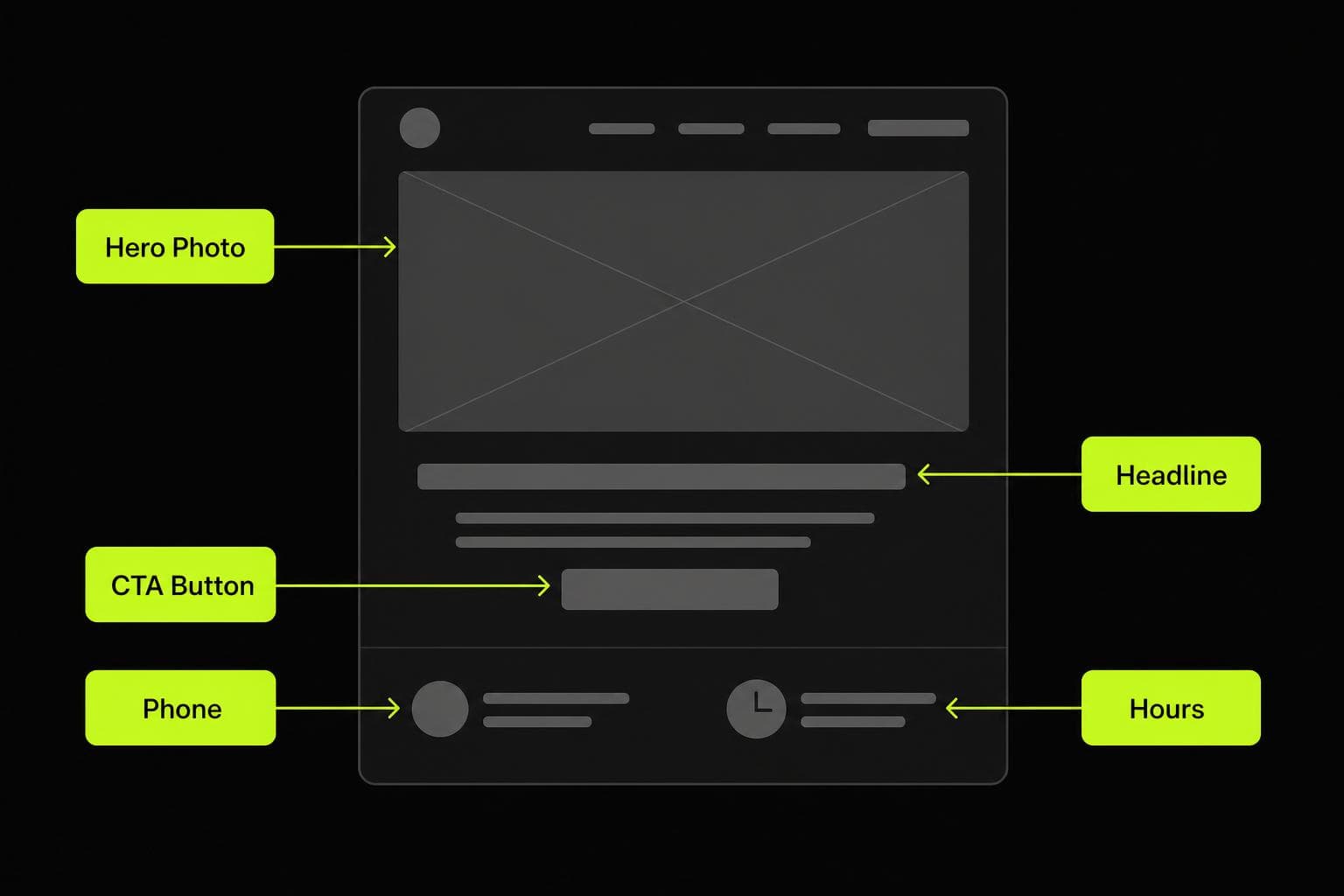
Patients decide within three seconds whether to stay or leave. Your hero section must answer four questions instantly: Who are you? What do you treat? Where are you? How do I book? A photograph of the actual physician — not a stock image — increases trust and reduces bounce rate measurably. The primary CTA should be "Book Appointment" or "Request Appointment," not "Learn More."
HIPAA-Safe Contact and Booking Forms
Generic form builders (Google Forms, standard Typeform, basic WordPress contact plugins) are not HIPAA-compliant. Any form that collects protected health information (PHI) — symptoms, insurance details, medical history — must be hosted on a platform that offers a Business Associate Agreement (BAA). Options include Jane App, Kareo, Healthie, or a custom-built encrypted form. This is not optional: a HIPAA violation from an unsecured web form can carry fines from $100 to $50,000 per violation.
Trust Signals That Move the Needle

- Board certifications and fellowship training displayed near the physician photo.
- Real patient Google reviews (aggregate star rating widget or embedded feed).
- Hospital affiliations and insurance panels accepted.
- Video introduction from the physician — even 60 seconds increases conversion by 20–35% in A/B tests.
- Specific outcome stats where ethically permissible ("Over 1,200 knee replacements performed").
Mobile-First Performance Requirements
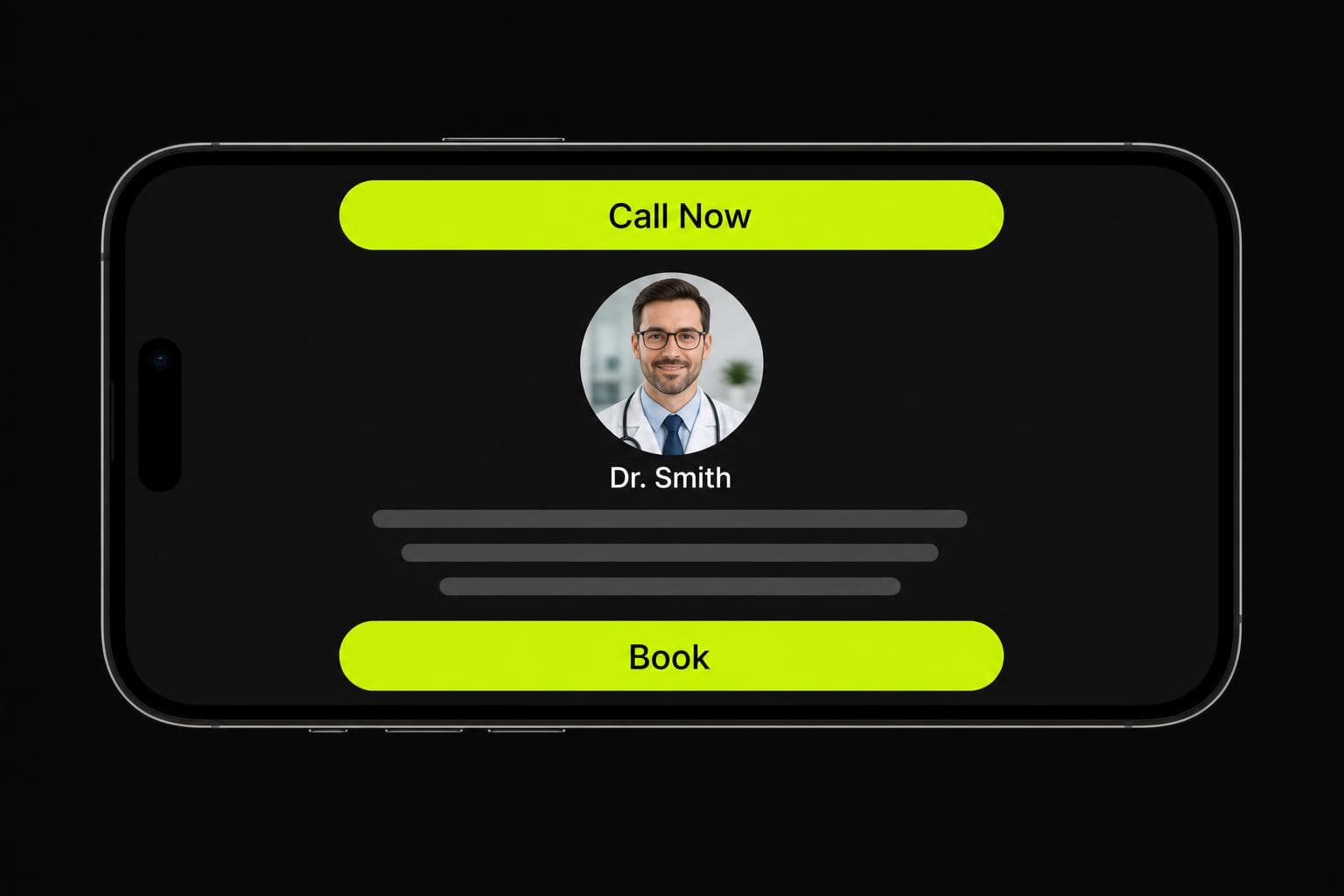
Healthcare searches skew heavily mobile — patients in discomfort searching from their phone, parents looking for a pediatrician mid-errand. Your site must load in under 2 seconds on a 4G connection, have tap targets no smaller than 48px, and present the phone number as a true <code>tel:</code> link so it dials with one tap. Google's Core Web Vitals now directly influence local pack rankings, which is where most practice traffic originates.
Local SEO Built Into the Design
Doctor website design and local SEO are inseparable. Every practice page should include LocalBusiness and Physician schema markup, your exact NAP matching your Google Business Profile, and city/neighborhood keywords woven naturally into headings and body copy. A dedicated page per service and per location, with unique content on each, compounds ranking gains over time.
What to Budget for a Medical Practice Website
- Template on Squarespace/Wix: $500–$2,000 — acceptable for a solo practice with low competition, but limited on conversion architecture and SEO control.
- Semi-custom WordPress: $3,000–$7,000 — better flexibility, but check the HIPAA compliance of every plugin.
- Fully custom build (Next.js or similar): $8,000–$20,000 — best performance, conversion, and SEO outcomes; recommended for competitive markets or multi-location groups.
- Ongoing maintenance and SEO retainer: $500–$1,500/month — necessary to maintain rankings and keep forms/integrations secure.
Want help with your medical practice website?
We design and build HIPAA-aware, conversion-focused doctor websites that rank and book appointments.
Get a free audit
Dream Code Labs
Web Development & Automation Agency · 7+ years experience
Dream Code Labs is a remote-first development and automation agency specialising in custom websites, AI-powered tools, and workflow automation for marketing agencies and growing SMEs across the UK, US, Canada, and Australia. We have delivered 50+ projects that produce measurable, real-world results.
Frequently Asked Questions
How much does a doctor website design cost?
A basic template-based doctor website costs $500–$2,000. A semi-custom WordPress build runs $3,000–$7,000. A fully custom, performance-optimized site built on a modern framework typically costs $8,000–$20,000. For competitive urban markets or multi-location practices, the custom build pays back quickly through increased appointment volume.
Do doctor websites need to be HIPAA compliant?
Any part of a doctor website that collects protected health information (PHI) — including contact forms asking about symptoms, medical history, or insurance — must be HIPAA compliant. This means using a form provider that offers a Business Associate Agreement (BAA) and encrypts data at rest and in transit. Generic builders like standard Typeform or Google Forms are not HIPAA compliant.
What should a doctor website include?
A high-converting doctor website needs: online booking or appointment request, click-to-call phone number in the header, physician biography and photo, list of conditions and treatments, insurance accepted, patient reviews, location and hours, and LocalBusiness schema markup. For specialties, add condition-specific landing pages.
How do I get my doctor website to rank on Google?
Rank your medical practice website by: claiming and fully optimizing your Google Business Profile, adding LocalBusiness and Physician schema markup, publishing condition-specific pages with city-targeted content, earning patient reviews consistently, and ensuring your site passes Core Web Vitals. Local pack visibility drives the majority of new-patient traffic for most practices.
What is the best website builder for doctors?
For solo practices in low-competition markets, Jane App or Squarespace with a HIPAA-compliant booking integration can work. For practices competing in larger cities or with multiple providers, a custom-built site on Next.js or WordPress with proper HIPAA-safe forms consistently outperforms template builders on both rankings and conversion rate.
Last updated: 02 Jun 2026